Basic Computer Components
Mga Pangunahing Bahagi ng Computer| software | software |
| hardware | hardware |
| operating system | operating system |
| OS | |
| driver | driver |
| program | programa |
| application | application |
| to boot up | mag-boot |
| to start up | magsimula |
| to restart | mag-restart |
| to shut down | i-shut down |
| to reset | i-reset |
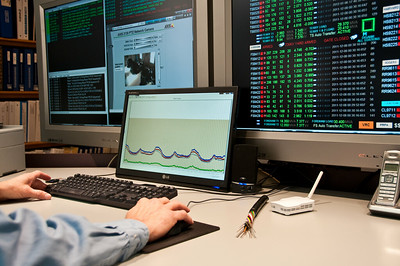
You need another software program to do that.
Kailangan mo ng isa pang software program para magawa iyon.My computer won't start up.
Hindi mag-start ang computer ko.The OS just crashed. We need to restart the computer.
Kaka-crash lang ng OS. Kailangan nating i-restart ang computer.The computer locks up randomly.
Nag-la-lock up ang computer nang random.Hold down the power button.
Pindutin nang matagal ang power button.Press the enter key.
Pindutin ang enter key.
Screen & Interface
Screen at Interface| desktop | desktop |
| window | window |
| cursor | cursor |
| icon | icon |
| interface | interface |
| toolbar | toolbar |
| taskbar | taskbar |
| notification | notification |
| menu | menu |

| to tap | i-tap |
| to click | i-click |
| to double-click | i-double-click |
| to right-click | i-right-click |
| to resize | baguhin ang laki |
| to minimize | i-minimize |
| to maximize | i-maximize |
| to scroll | mag-scroll |
| to zoom in | mag-zoom in |
| to zoom out | mag-zoom out |
Double-click the folder.
I-double-click ang folder.Right-click the file.
I-right-click ang file.Click on that link.
I-click ang link na iyon.Resize the window. It's too small.
Baguhin ang laki ng window. Masyadong maliit.The screen is frozen.
Naka-freeze ang screen.
Applications & Tools
Mga Application at Tool| spell checker | spell checker |
| word processor | word processor |
| spreadsheet | spreadsheet |
| to print | i-print |
| to scan | i-scan |
| to multitask | mag-multitask |
Don't forget to spell-check your email.
Huwag kalimutang i-spell-check ang iyong email.
| to save | i-save |
| to copy | kopyahin |
| to cut | gupitin |
| to paste | i-paste |
| to drag | i-drag |
| to drop | i-drop |
| to delete | i-delete |
| to insert | ipasok |
| to find | hanapin |
| to highlight | i-highlight |
| to undo | i-undo |
| to redo | i-redo |
| to cancel | kanselahin |
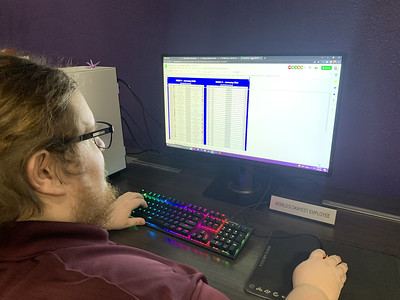
Copy and paste the text.
Kopyahin at i-paste ang text.Drag the file into the folder.
I-drag ang file sa folder.Did you save the changes?
Nai-save mo ba ang mga pagbabago?Be sure to save your work.
Tiyaking i-save ang iyong trabaho.
Software Management
Pamamahala ng Software| settings | mga setting |
| preferences | |
| properties | mga property |
| open source | open source |
| compatible | compatible |
| user-friendly | user-friendly |
| update | update |
| to install | i-install |
| to uninstall | i-uninstall |
| to launch | ilunsad |
| to run | patakbuhin |
| to close | isara |
| to update | i-update |
| to upgrade | i-upgrade |
| to configure | i-configure |
You need to update your operating system.
Kailangan mong i-update ang iyong operating system.Launch the application.
Ilunsad ang application.Close the program.
Isara ang programa.Set the date and time.
Itakda ang petsa at oras.That process is running in the background. You might need to kill it.
Tumatakbo ang prosesong iyon sa background. Maaaring kailanganin mong i-kill ito.
Files & Folders
Mga File at Folder| folder | folder |
| file | file |
| path | path |
| shortcut | shortcut |
| hotkey | hotkey |
The file is corrupted.
Sira ang file.
Storage & Memory
Storage at Memory| storage | storage |
| disk space | disk space |
| RAM | RAM |
| cache | cache |
| cloud storage | backup |
| backup | cloud storage |
| data | data |
| to backup | i-backup |
| to format | i-format |
I need to free up some disk space.
Kailangan kong magbakante ng espasyo sa disk.You should backup your computer frequently.
Dapat mong i-backup ang iyong computer nang madalas.Insert the USB key.
Ipasok ang USB key.Is it plugged in?
Nakasaksak ba ito?