Basic Computer Components
Komponen Asas Komputer| software | perisian |
| hardware | perkakasan |
| operating system | sistem operasi |
| OS | |
| driver | pemacu |
| program | program |
| application | aplikasi |
| to boot up | but |
| to start up | mulakan |
| to restart | mulakan semula |
| to shut down | tutup |
| to reset | set semula |
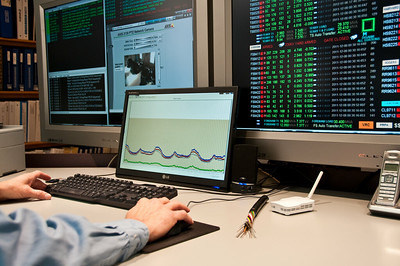
You need another software program to do that.
Anda memerlukan program perisian lain untuk melakukannya.My computer won't start up.
Komputer saya tidak dapat dimulakan.The OS just crashed. We need to restart the computer.
OS baru sahaja ranap. Kita perlu memulakan semula komputer.The computer locks up randomly.
Komputer terkunci secara rawak.Hold down the power button.
Tahan butang kuasa.Press the enter key.
Tekan kekunci enter.
Screen & Interface
Skrin & Antara Muka| desktop | desktop |
| window | tetingkap |
| cursor | kursor |
| icon | ikon |
| interface | antara muka |
| toolbar | bar alat |
| taskbar | bar tugas |
| notification | pemberitahuan |
| menu | menu |

| to tap | ketik |
| to click | klik |
| to double-click | dwiklik |
| to right-click | klik kanan |
| to resize | ubah saiz |
| to minimize | minimumkan |
| to maximize | maksimumkan |
| to scroll | tatal |
| to zoom in | zum masuk |
| to zoom out | zum keluar |
Double-click the folder.
Dwiklik pada folder itu.Right-click the file.
Klik kanan pada fail itu.Click on that link.
Klik pada pautan itu.Resize the window. It's too small.
Ubah saiz tetingkap. Ia terlalu kecil.The screen is frozen.
Skrin beku.
Applications & Tools
Aplikasi & Alat| spell checker | penyemak ejaan |
| word processor | pemproses kata |
| spreadsheet | hamparan |
| to print | cetak |
| to scan | imbas |
| to multitask | berbilang tugas |
Don't forget to spell-check your email.
Jangan lupa semak ejaan e-mel anda.
| to save | simpan |
| to copy | salin |
| to cut | potong |
| to paste | tampal |
| to drag | seret |
| to drop | lepas |
| to delete | padam |
| to insert | sisip |
| to find | cari |
| to highlight | serlahkan |
| to undo | buat asal |
| to redo | buat semula |
| to cancel | batal |
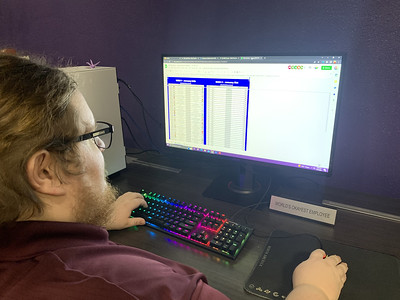
Copy and paste the text.
Salin dan tampal teks itu.Drag the file into the folder.
Seret fail ke dalam folder.Did you save the changes?
Adakah anda telah menyimpan perubahan?Be sure to save your work.
Pastikan anda menyimpan kerja anda.
Software Management
Pengurusan Perisian| settings | tetapan |
| preferences | |
| properties | sifat |
| open source | sumber terbuka |
| compatible | serasi |
| user-friendly | mesra pengguna |
| update | kemas kini |
| to install | pasang |
| to uninstall | nyahpasang |
| to launch | lancarkan |
| to run | jalankan |
| to close | tutup |
| to update | kemas kini |
| to upgrade | naik taraf |
| to configure | konfigurasi |
You need to update your operating system.
Anda perlu mengemas kini sistem operasi anda.Launch the application.
Lancar aplikasi.Close the program.
Tutup program.Set the date and time.
Tetapkan tarikh dan masa.That process is running in the background. You might need to kill it.
Proses itu sedang berjalan di latar belakang. Anda mungkin perlu mematikannya.
Files & Folders
Fail & Folder| folder | folder |
| file | fail |
| path | laluan |
| shortcut | pintasan |
| hotkey | kekunci pintas |
The file is corrupted.
Fail rosak.
Storage & Memory
Storan & Memori| storage | storan |
| disk space | ruang cakera |
| RAM | RAM |
| cache | cache |
| cloud storage | sandaran |
| backup | storan awan |
| data | data |
| to backup | sandarkan |
| to format | format |
I need to free up some disk space.
Saya perlu mengosongkan sedikit ruang cakera.You should backup your computer frequently.
Anda harus kerap membuat sandaran komputer anda.Insert the USB key.
Masukkan kekunci USB.Is it plugged in?
Adakah ia dipalamkan?