Basic Computer Components
Vipengele vya Msingi vya Kompyuta| software | programu |
| hardware | vifaa |
| operating system | mfumo wa uendeshaji |
| OS | |
| driver | kiendeshi |
| program | programu |
| application | programu |
| to boot up | kuwasha |
| to start up | kuanzisha |
| to restart | kuanzisha upya |
| to shut down | kuzima |
| to reset | kuweka upya |
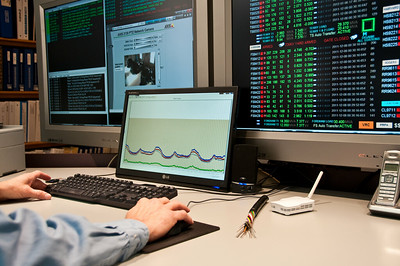
You need another software program to do that.
Unahitaji programu nyingine ya kompyuta ili kufanya hivyo.My computer won't start up.
Kompyuta yangu haiwaki.The OS just crashed. We need to restart the computer.
OS imeharibika sasa hivi. Tunahitaji kuwasha kompyuta upya.The computer locks up randomly.
Kompyuta inajifunga yenyewe.Hold down the power button.
Shikilia kitufe cha kuwasha.Press the enter key.
Bonyeza kitufe cha ingizo.
Screen & Interface
Skrini na Kiolesura| desktop | skrini ya kwanza |
| window | dirisha |
| cursor | kielekezi |
| icon | aikoni |
| interface | kiolesura |
| toolbar | upau wa vidhibiti |
| taskbar | upau wa kazi |
| notification | arifa |
| menu | menyu |

| to tap | kugonga |
| to click | kubofya |
| to double-click | kubofya mara mbili |
| to right-click | kubofya kulia |
| to resize | kubadilisha ukubwa |
| to minimize | kupunguza |
| to maximize | kuongeza |
| to scroll | kusogeza |
| to zoom in | kuvuta ndani |
| to zoom out | kuvuta nje |
Double-click the folder.
Bofya mara mbili kwenye folda.Right-click the file.
Bofya kulia kwenye faili.Click on that link.
Bofya kwenye kiungo hicho.Resize the window. It's too small.
Badilisha ukubwa wa dirisha. Ni dogo sana.The screen is frozen.
Skrini imeganda.
Applications & Tools
Programu na Zana| spell checker | kikagua tahajia |
| word processor | kichakata maneno |
| spreadsheet | lahajedwali |
| to print | kuchapisha |
| to scan | kuchanganua |
| to multitask | kufanya kazi nyingi |
Don't forget to spell-check your email.
Usisahau kuangalia tahajia ya barua pepe yako.
| to save | kuhifadhi |
| to copy | kunakili |
| to cut | kukata |
| to paste | kubandika |
| to drag | kuburuta |
| to drop | kuacha |
| to delete | kufuta |
| to insert | kuingiza |
| to find | kutafuta |
| to highlight | kuangazia |
| to undo | kutengua |
| to redo | kurudia |
| to cancel | kufuta |
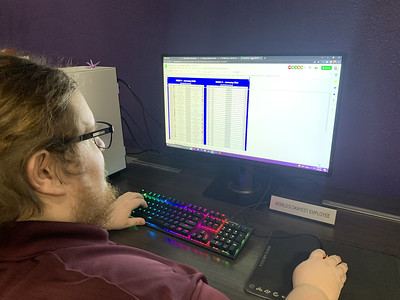
Copy and paste the text.
Nakili na ubandike maandishi.Drag the file into the folder.
Buruta faili kwenye folda.Did you save the changes?
Umehifadhi mabadiliko?Be sure to save your work.
Hakikisha unahifadhi kazi yako.
Software Management
Usimamizi wa Programu| settings | mipangilio |
| preferences | |
| properties | sifa |
| open source | chanzo huria |
| compatible | inayolingana |
| user-friendly | rahisi kutumia |
| update | sasisho |
| to install | kusakinisha |
| to uninstall | kusanidua |
| to launch | kuzindua |
| to run | kuendesha |
| to close | kufunga |
| to update | kusasisha |
| to upgrade | kuboresha |
| to configure | kusanidi |
You need to update your operating system.
Unahitaji kusasisha mfumo wako wa uendeshaji.Launch the application.
Zindua programu.Close the program.
Funga programu.Set the date and time.
Weka tarehe na saa.That process is running in the background. You might need to kill it.
Mchakato huo unaendeshwa chinichini. Huenda ukahitaji kuuzima.
Files & Folders
Faili na Folda| folder | folda |
| file | faili |
| path | njia |
| shortcut | njia ya mkato |
| hotkey | hotkey |
The file is corrupted.
Faili imeharibika.
Storage & Memory
Hifadhi na Kumbukumbu| storage | hifadhi |
| disk space | nafasi ya diski |
| RAM | RAM |
| cache | kache |
| cloud storage | nakala rudufu |
| backup | hifadhi ya wingu |
| data | data |
| to backup | kuhifadhi nakala rudufu |
| to format | kufomati |
I need to free up some disk space.
Ninahitaji kuongeza nafasi kwenye diski.You should backup your computer frequently.
Unapaswa kuhifadhi nakala rudufu ya kompyuta yako mara kwa mara.Insert the USB key.
Ingiza ufunguo wa USB.Is it plugged in?
Je, imechomekwa?